
Download Flash Player 11.2 and AIR 3.2 SDK FINAL
March 29th, 2012
 Flash Player 11.2 with playerglobal.swc and AIR 3.2 SDK final versions are now available for download at the official release pages.
Adobe Flash Player - downloads: http://www.adobe.com/support/flashplayer/downloads.html
Download Adobe AIR SDK: http://www.adobe.com/devnet/air/air-sdk-download.html
There are lot of new significant features like mouseLock, middle click, right click, silent auto-update and Stage3D on mobile.
Go and get it.
Alternativa 3D is now opensource
March 29th, 2012
Popular 3D framework from Russia Alternativa Platform is now opensource. The source code has been published to github and is available here:
https://github.com/AlternativaPlatform/Alternativa3D
You can read more here on Alternativa’s blog.
http://blog.alternativaplatform.com/en/2012/03/29/alternativa3d-8-is-out-in-open-source/

See Alternativa’s showcase including MAX Racer, Tanki Online, Ostrova Online and more…
Tip: Auto-delete your AIR for Android stored files on SD card during app uninstall
March 21st, 2012
 Recently one of my friends came across an issue that happens when you store some app files on Android on the SD card. I have to thank my friends from Inmite for tips and Oldes from Amanita for testing this.
The problem is that your Android app can be maximum 50 MBs if you want put it on Android Market. But there is a solution if you have bigger apps, you just need to download the additional files from your own server, where you have to host them. Once you download these additional files, you save them to SD card on the device and then the app can use them.
But, you have to think where to actually put them. If you make a custom folder on the SD card and uninstall the app, the files will be still there, so they won’t be deleted. That’s the behavior you probably don’t want.
Solution
If you want to delete these additional app files during application uninstall process you have to put them into a folder that has the same name as the app ID according to the official documentation [http://developer.android.com/guide/topics/data/data-storage.html#AccessingExtFiles].
Extract:
/Android/data/<package_name>/files/
The <package_name> is your Java-style package name, such as “com.example.android.app”. If the user’s device is running API Level 8 or greater and they uninstall your application, this directory and all its contents will be deleted.
If you have an AIR app, don’t forget to include the air.* prefix.
so in this case, it will be air.com.example.android.app folder, where you keep your files that will be deleted during uninstall.
That’s it.
Tip: Define supported languages for iOS AIR apps - new in AIR 3.2
March 19th, 2012
One of the nice and almost hidden features in Adobe AIR 3.2 is the possibility to define supported languages for your apps which will get reflected in Apple App Store.
Instead of this:

You are now able to shrink it to this:

How to set this?
Open your application-descriptor.xml file and add
<supportedlanguages>en</supportedlanguages>
Your final XML file should look like this:
Read the rest of this entry »
Geometry Arena in Stage3D launched on iOS and Android
March 14th, 2012
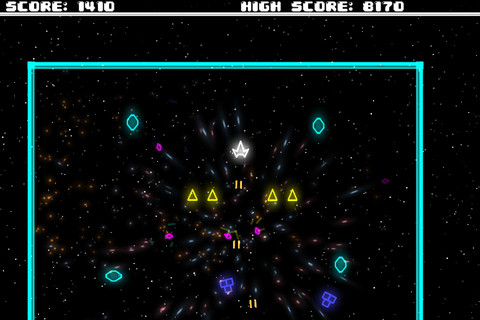
Geometry Arena is a retro game for iOS, Android, Facebook and desktop built on top of Genome2D Stage3D framework by its author Peter Štefček (sHTiF) from Slovakia.
The game is available for FREE! So go and get it 
Download for iPad and iPhone / Universal
Download for Android
+
Play on Facebook
Play on Newgrounds
 The game also supports iOS Game Center via AIR Native Extension. Let’s see who is going to lead the board.
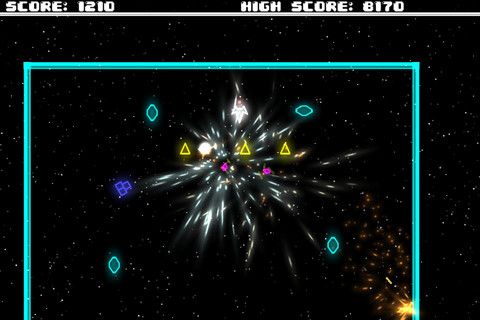
I’ve asked Peter several questions:

Peter: Around 2000 particles per frame on the MED level of detail, way more if you shoot more enemies at once. All of the stars are actually particles as well where each of them has its own alpha animation and camera offset for parallax effect.
Me: How long did it take to build this game?
Peter: Couple of days, its hard to say exactly as I was working on Genome2D at the same time as well. It started as a demo project for Genome2D just to show that its ready and people can start building games on top of it. It opened my eyes and showed me a few issues that weren’t noticeable unless you tried to build something on top of them, actually most of the updates and optimizations that came with Genome2D 0.3.5 were directly impacted by development of this game
Me: What is unique about Genome2D framework?
Peter: Hard to say, its very fast, flexible, component based, has builtin camera system and abstract layer for physics what do you need more? A lot of people like it once they grasp the concept, hopefully we will see more and more games build on top of it. I am swamped with feature requests so need to prioritize a lot but you will see more and more game related components coming soon.
Me: Why have you decided to build your own 2D framework on top Stage3D?
Peter: The original flash version of Genome2D was build on top of native flash and blitting but once Adobe came with FP11 and GPU support I knew that its a smart thing to move there. I mean there are no cons to it, maybe except different approach. So basically it was an easy decision and it actually came closer to my original 2D framework which was build in C++ and OpenGL years back.
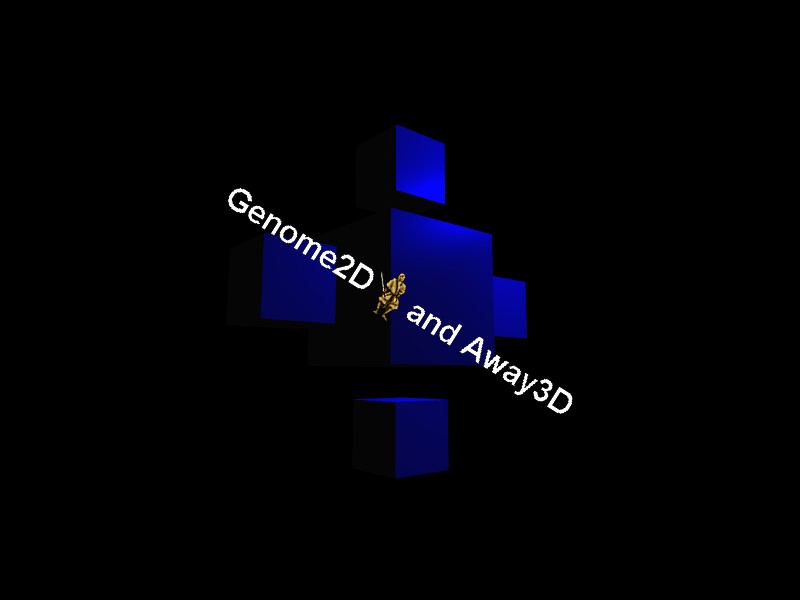
Peter did also some experiments with overlaying 2D Stage3D framework over 3D Stage3D framework, like here Genome2D running on top Away3D, which is very powerful technique and let’s you build for instance UI in Genome2D and the actual game in Away3D. You can read more details about this technique here.
Starling games workshop at Beyond Tellerrand Play
March 14th, 2012
At this year’s Beyond Tellerrand Play conference in Cologne, Germany I will be doing a 4h half-day Starling workshop. Starling is a 2D based rendering framework for Stage3D with API similar to DisplayList. Angry Birds for Facebook are for instance running on top of Starling.
We will go step by step through most of the Starling features, starting with rendering, animations, adding physics, collisions and particles. I will also demonstrate how to bring the game to iOS and Android using Adobe AIR.

24th April 2012 - mark your calendar. Register here for the workshop.
Exclusive Interview with Ville Koskela the Lead Flash Programmer of Angry Birds for Facebook
March 12th, 2012

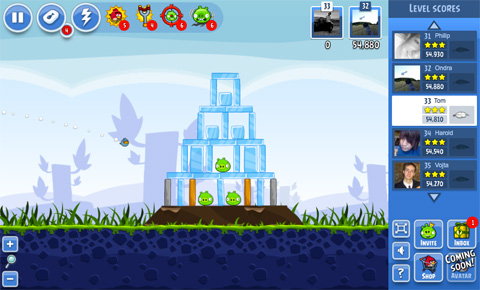
Do you wonder who is the lead Flash programmer behind the Angry Birds for Facebook? Meet Ville Koskela from Rovio, Finland. In this exclusive interview I did with him, he reveals some of the backstage tricks the team at Rovio used.
Ville: Yes it is! The last few weeks were pretty busy since with a brand as popular as Angry Birds we really had to have the very first version rock solid.
Me: The game is using the new Stage3D APIs in Flash Player 11, which 2D framework did you use for the game?
Ville: We are using Starling framework which provides both Flash display object like interface and pretty good performance.
Me: Did you just use Starling out of the box, or are there certain things that you have adjusted for your use case?
Ville: The performance of the initial version of Starling we started with wasn’t quite as good as we expected but since it’s distributed under simplified BSD license and all the source files are available we were able to optimize it quite a lot. I have been writing about these optimizations in my blog and now most of them are included in the current version of Starling. Daniel has also added few extra tweaks here and there.
Me: What about software rendering? Any tips for developers to get the most out of it?
Ville: Performance data collected from our game shows that with software rendering you can expect tops 1/3 of the frame rate of the hardware rendering. This means that if your game requires high frame rate you probably should drop some graphical details when using software rendering. With the Facebook version of Angry Birds we are now dropping the backmost background layer and adjusting also the rendering quality if the game is running with software rendering.
Me: Do you use separate images for each element or spritesheets? Why?
Ville: We are using our own implementation of sprite sheets and we combine as many sprites on the same sheet as the 2048×2048 pixel texture size limitation allows. This speeds up the Stage3D rendering since then the Starling sprites sharing the same base texture can be rendered as batches.
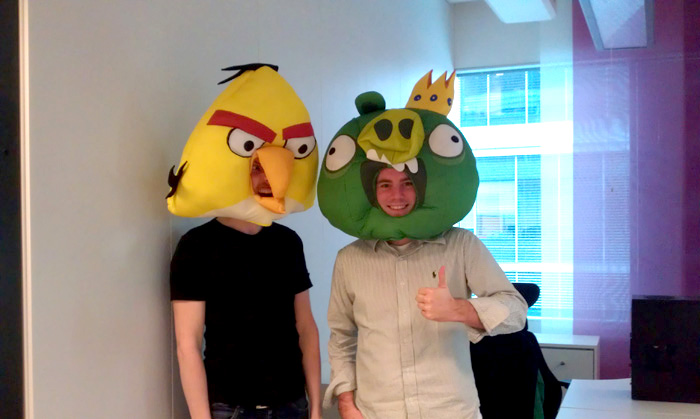
Ari (Senior Flash Programmer at Rovio) and me at Rovio HQ
Me: Do you overlay DisplayList elements over the Stage3D or is the whole game just Stage3D? If so, what do you overlay?
Ville: Only the game world itself uses Stage3D graphics. We decided to do all the UI elements with conventional Flash display objects since animating them is really easy using the Flash IDE our graphic designers are familiar with. Flash 11 also handles the display object overlays pretty well and they don’t really affect the frame rate.
Me: How do you handle the device loss (with Stage3D)? That means if someone plays the game and goes for a lunch and the PC locks the screen?
Ville: We implemented our own handler for this event since Starling didn’t support it out of the box. When the rendering device is lost Context3D’s driverInfo string will change into “Disposed” so on every frame update we check that. If the device is lost we simply return from the rendering immediately. When Flash is able to create a new rendering context an Event.CONTEXT3D_CREATE event will be dispatched. We simply register to listening to that event and then reinitialize all the current textures and their vertex and index buffers on the next render call. Luckily the upcoming Starling version will also handle the device loss so developers won’t need to implement this check themselves anymore.
Me: Can you tell us something about the particle engine you use with Starling?
Ville: We are using a tuned up version of the Starling particle engine extension. At the moment it’s used for the wave animations in the “Suft and Turf” episode. The particle engine itself is a combination of actionscript code and GPU based Stage3D rendering.
Me: Which physics engine do you use? Are you using default setup or any some special settings?
Ville: Like with all the other versions of Angry Birds the Facebook version also uses Box2D with some minor adjustments.
Me: Do you secure the final SWF with any sort of obfuscation software?
Ville: Yes we do.
Me: Was there something specific to Facebook that you had to take into account when developing the game?
Ville: Well first of all with Flash 11 and Stage3D you have to use wmode “direct” which means that on some browsers the html overlays will get rendered under the Flash content. To handle this Facebook provides javascript API with which we replace the Flash content with a screen capture of it on the web page. We also wanted to make the initial game download as fast as possible to make sure that users won’t close the game before it’s running. This we achieved by downloading additional game assets on the fly for the levels only when needed.
Me: What’s your overall feeling about Angry Birds Facebook? Are there any plans for new features in the game?
Ville: I think the project was a great success and the support we got both from Adobe and Facebook helped us achieve this. Even the initial release didn’t have too many bugs visible to the end users and even those are now mostly fixed. About the future I can’t really say anything else than keep returning to the game at least once or twice a week to check if there’s something new.
Spaced Away game in Stage3D/Flash launched on iOS App Store
March 7th, 2012
 Spaced Away is the first Stage3D 2D game on the Apple App Store. I did an interview with Jakub Svoboda (Director of Falanxia - the company behind the game) here at Game Developers Conference 2012 in San Francisco.
Download Spaced Away Slim
Download Spaced Away HD
Jakub: Actually, it feels pretty great to be the very first game made in Stage 3D mobile. From the beginning we wanted to have Spaced Away on as many devices as possible and as visually appealing as possible (and we actually have already won The FWA Mobile Of The Day Award). Stage3D made this possible, so from now on almost every iOS owner can play the game. Together with that, thanks to Adobe AIR native extensions, we were able to implement also native features like iOS Game Center (ANE by Milkman Games).
Me: How many people were involved with the game?
Jakub: We are really small team: two designers, two developers, two game designers and we work with contractors as well. At some point, all of us were of course involved in the game, but mainly there were 3 to 4 people around the game.
Me: The game was originally written with display list rendering, how long did it take to port it to Stage3D?
Jakub: We worked on the game for few months, but the Stage3D port took us only about 2 to 3 weeks. We had to play a lot with performance issues on different iOS devices, but otherwise it was really smooth process thanks to Starling Framework.
Me: How many levels are in the game and how did you design them?
Jakub: There are 40 levels in the game and more to come in the next months. We are also iterating versions of tutorial and some UX stuff around, so more updates are to come regularly. About designing the levels: we created our own visual editor, where game designers could play with all the objects and see the results right at the time.
Me: Where are you based?
Jakub: We are czech studio based in Prague. You probably have already heard about game design studios from the country: Amanita Design, Madfingers, Craneballs and of course hardcore game makers like 2K, or Bohemia Interactive. So we hope, we will be as famous as them one day as well
Me: Are there any other platforms coming?
Jakub: We are in fact planning to release the game on Android as well, which should not be a problem at all at this stage for us.