
Feathers: Stage3D & Starling-based UI controls
September 18th, 2012
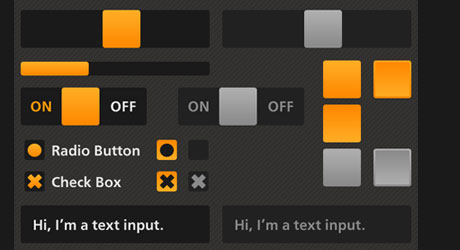
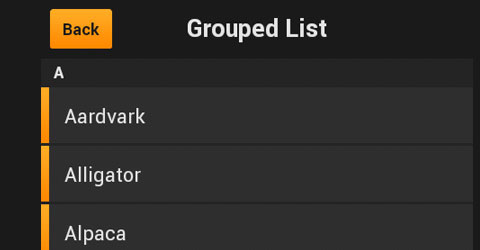
Lightweight, fast, efficient, skinable.
Are you building Flash/AIR games or apps and looking for UI controls library? Well, Feathers UI by Josh Tynjala is a total must have.
Check it out at FeathersUI.com
Age of Defenders: Post-apocalyptic tower defense game launched for tablets
November 7th, 2011
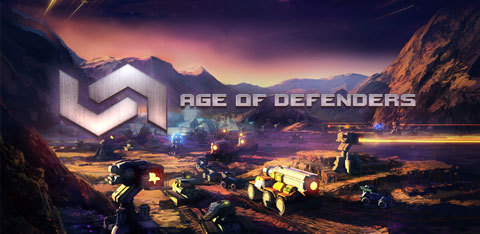
Age of Defenders is a tower defense game for browser (Win, Linux, Mac), iPad, Android and soon to be launched on BlackBerry PlayBook. The game is built with Flash and ported to tablets with Adobe AIR. It has practice mode and multiplayer mode via RTMP (via Flash Media Server) and RTMFP (P2P). Multiplayer is actually pretty unique as you can really play among different platforms, e.g. from Android to iPad or iPad vs. browser and so on.
Play online: http://ageofdefenders.com
Available in Apple App Store
Available in Android Market
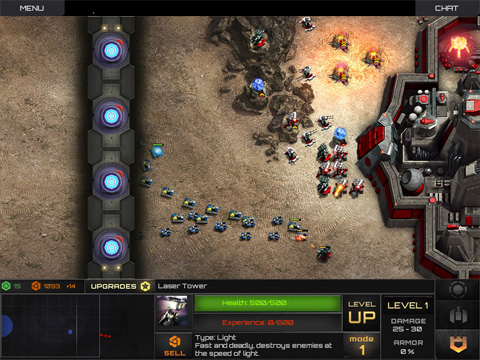
Official trailer:
I had a chance to do a quick interview with Tomáš Botek (Head of development team, Age of Defenders):
Me: What is the main idea behind Age of Defenders?
Tomáš: We wanted to create a mix of tower defense and strategy games, where two people will play against each other, including attacking and other bit and bobs. Also, we wanted to create a web based game, which would be closer to serious gaming. And which could be played repeatedly, not just one time.
Me: Where can I get it or play it now?
Tomáš: The game can be played at www.ageofdefenders.com or can be downloaded from Android market and App Store. Also, it will shortly be available in App World. Age of Defenders runs on all tablets with the resolution of 1024×600 and up.
Me: How long have you been working on the original browser game and how big is the team?
Tomáš: We have started with a web version, which took us approximately 1 year. We are a team of 4 programmers and 3 designers. We have spent a lot of time thinking about the concept of the game.
Me: How many lines of code have you written for Age of Defenders?
Tomáš: Every single part of the game together, including the server-side code has around 110 000 lines of code. There are some libraries, which are not ours (e. g. pathfinding), but all of them are edited, so around 85% of the code is ours.
Me: Why have you chosen Flash/AIR for the development?
Tomáš: We liked the idea that you can play straight from the web browser, without having to download or install anything. That’s why using Flash was our first choice. Web-based gaming will change, will become something a lot more serious and we want to be part of this. Also the fact of building an app in Flash and porting it seamlessly to mobile devices with Adobe AIR later on, has proven how lucky choice it was.
Me: How long did it take to port it from iOS to Android with AIR?
Tomáš: When we had the first tablet version ready (iOS version), all we had to do for the other platforms was to work with the resolutions. The transition from the iOS to Android was very quick, took almost no time.
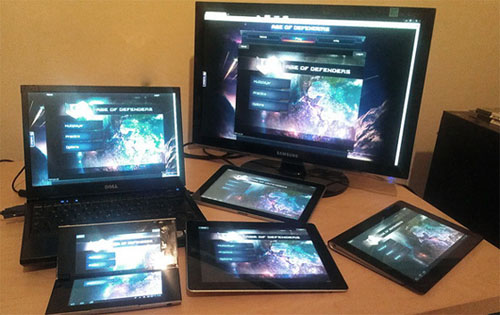
// Age of Defenders running on iPad, Sony S tablet, Sony P tablet, Windows and Samsung Galaxy Tab
Me: What are your next steps with the game and what features do you plan to add?
Tomáš: The game was just born and has got a long life ahead of it. We are creating a long-term profile with a history of matches, leveling up and match-making, so players who are at the same level could play against each other. We are working on different game modes and a lot more towers and units. At the same time a new singleplayer campaign is on its way, which will be very diverse and interesting. Currently, it is the most deprived part of the game, so we want to change it.
Machinarium for iPad 2 live now!
September 8th, 2011
Machinarium, an award-winning indie point-and-click adventure/puzzle game in Adobe Flash and AIR.
A few months ago I met the guys from Amanita Design in Brno, Czech Republic. We talked about the success of Machinarium for desktop (available for Windows, Mac and Linux). That was just around the time the Adobe AIR 2.7 for iOS, Android and PlayBook was made available - and after some time the guys decided to port the game for tablets.
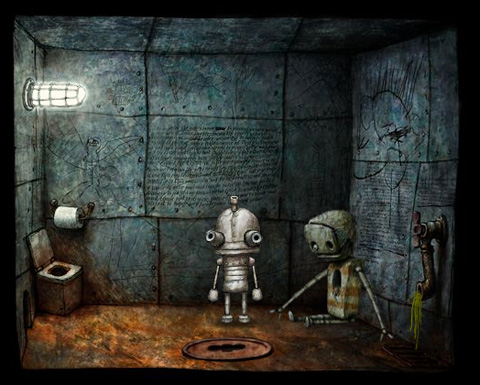
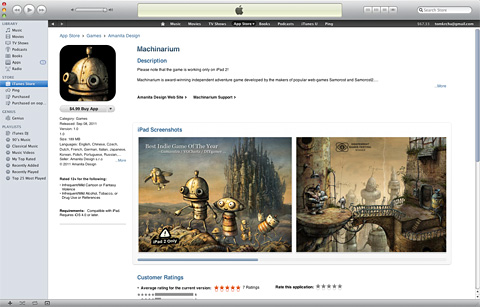
And today September 8th 2011, the game is available on the iOS App Store!
*Note: I will be releasing an article about the making/porting of Machinarium for tablets soon covering all the technical details.
Watch the trailer:
Interview with Jakub Dvorský (game designer and director):
Me: You have just released the new iPad version of Machinarium, but tell me something more about the history of Amanita Design and how you started building puzzle/adventure games?
Jakub: Amanita Design started in 2003 when I released a free web-game Samorost which was my thesis project at the Academy of Art. Even before that, I had created a couple of adventure games while studying at grammar school. Since then I have found several excellent collaborators so now the studio is nine men strong. We are still completely independent and self funded, and we still make adventure games. Of course we are also trying to push that genre somewhere to make our games more funny, entertaining and challenging at the same time.
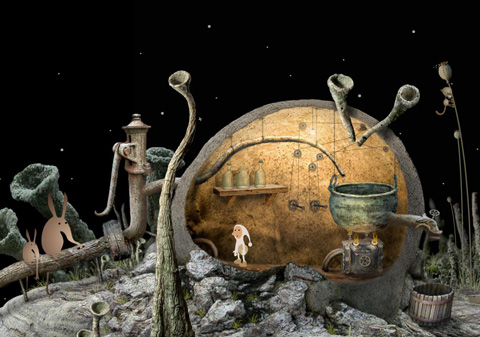
Me: Where does the original idea for Machinarium come from?
Jakub: First we knew, we wanted to create a full-length adventure game and that it should be a bit different and more complex than our previous Flash games. Then we came out with an idea of a robot as the main hero who lives in a robotic world. My first idea and vision of a strange vertical city populated by robots came to me about ten years ago when I was on an exchange scholarship in Netherlands. I was influenced by the modern functional architecture and the flatness of the country.
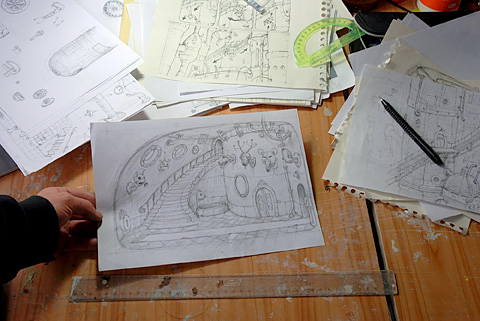
[Machinarium - sketches]
Me: How long did it take from the first sketches to the release?
Jakub: It took us almost three years. It’s a very long time and it wasn’t easy to stay focused on only one project all the time. Of course the whole game also changed significantly over that time. The basic concept was much simpler and our idea was to create longer but quite simple looking game. We thought it will take us about one year to finish it. In the end I’m really glad we spent all that time on it, because the game is now much better and more polished than what was intended in the initial plan and it definitely paid off.
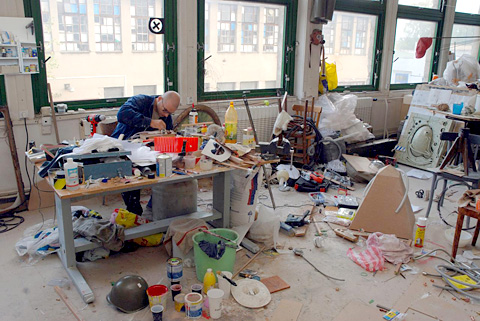
[The artist's studio - Adolf Lachman]
Me: Why have you chosen Flash/AIR for the game?
Jakub: We have a long time relationship and lots of experience with Flash (since the Macromedia days). We don’t know any other tool for making such rich and interactive animations like Flash. And AIR was for us the only way how to get the game on iPad and other tablets in a relatively short time. Also we are looking forward to trying upcoming features of AIR 3.0 including Stage3D.
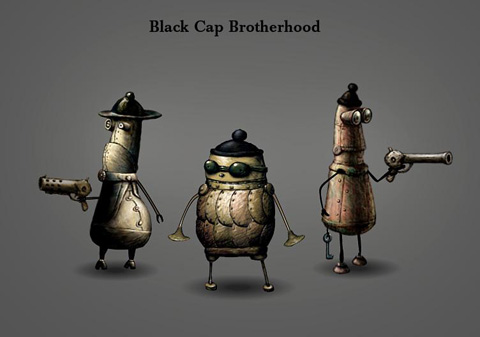
[Black Cap Brotherhood from Machinarium]
Me: What about the music and sound effects?
Jakub: The music and sound effects are very important in all of our projects so we do care about the whole audio side a lot. Our ‘in-house’ composer Tomas ‘Floex’ Dvorak (who created also Samorost2 OST) has worked almost one year on the score. The style could be generally described as electroacoustic music with elements of ambient, soundtrack and classical music. Tomas is very interested in the fusion of the acoustic and electronic fields, and it is also noticeable on this work. The same goes for sound effects which were all recorded and edited in our studio.
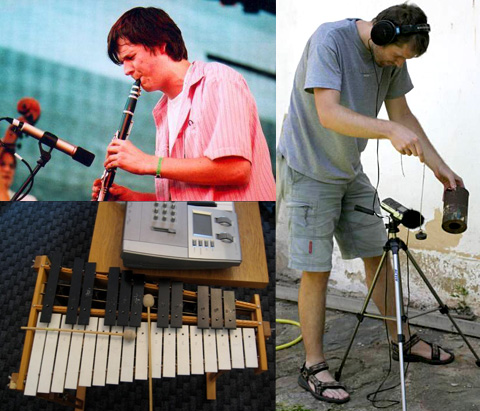
[Music by Tomas 'Floex' Dvorak, Sound design by Tomas 'Pif' Dvorak]
Me: Where can people get Machinarium?
Jakub: Machinarium is available for PC, Mac and Linux on our own website (machinarium.net) and it’s also on Steam and Mac App Store. The iPad2 version is available on iOS App Store and the Android version for tablets is coming soon as well. In addition to that we are also working hard on PS3 version which should be available later on PSN.
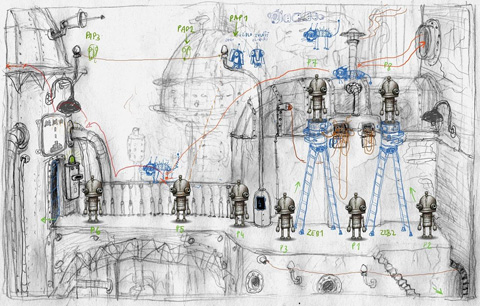
[Level design]
Me: Are you planning any other games at the moment?
Jakub: Yes, right now we are working on two projects - the first is a light-hearted and funny adventure game called Botanicula. It’s about five friends - little tree creatures who set out for a journey to save the last seed from their home tree which is infested by evil parasites. The game itself is about exploration, solving little puzzles, meeting strange tree creatures and listening to the music. The other game is Samorost3 which is our main project. It will be our second full-length game and it will feature full HD graphics and a bit of a new approach to game design.
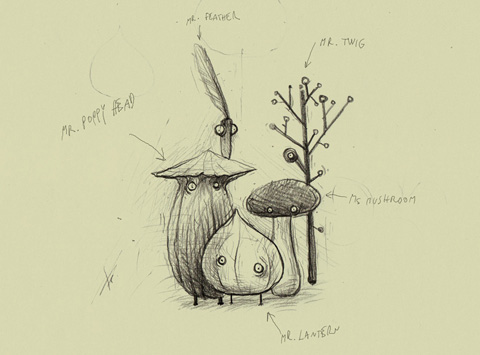
[Sketch of the five friends from Botanicula]
Videotutorial: Controlling the desktop with your mobile device via P2P
June 1st, 2011
Last year I wrote two tutorials connected with local network connections via P2P:
MAX Racer Remote Device Controller in AIR for Android
and
Local Flash Peer-to-Peer Communication over LAN (without Cirrus/Stratus)
Right now you can watch the video tutorial showing how to do this:
Note that such application can run on iOS, BlackBerry Tablet OS and Android.
Videotutorial: Beginning with Alternativa 3D
May 10th, 2011
If you are beginning with 3D in Flash, this videotutorial might come handy. Enjoy!
Alternativa 3D is one the popular 3D engines for Flash.
Alternativa 3D Platform Engine and Flash
Also if you are looking for the text version of this tutorial - check First steps with 3D in Flash article.