
Flash Media Server 4 released at IBC
September 9th, 2010
Hello from Amsterdam! We have just launched the new version of Flash Media Server at IBC conference in three different versions: Streaming, Interactive and Enterprise. See comparison matrix (help me choose).
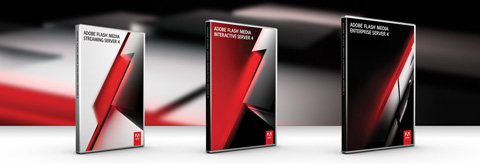
The features I am personally most excited about are:
- 64-bit support which brings tremendous streaming power!
- P2P/RTMFP support with server-side API, you get the same access to P2P network like Flash Player client, plus you can create a stable point from the server, very useful for distributed objects and databases. Next to that, you don’t need to use Adobe Stratus rendezvous-server and you can start building your own commercial P2P apps.
- Multicast support - stream multicast in H.264/on2 VP6 right from the Flash Media Live Encoder as well as control and manage multicast streams from the server. This also brings new possibilities to IP only multicast and multicast fusion (combination of application-level multicast and IP-only multicast).
- CentOS support
- Absolute timecode - to sync audio and video from different channels + combined with multibitrate streaming
- HTTP streaming - new delivery choice
and more…
Check Flash Media Server homepage for more details.
Read about other things we are launching at IBC.

Photo: Kevin Towes launching Flash Media Server 4 at IBC 2010
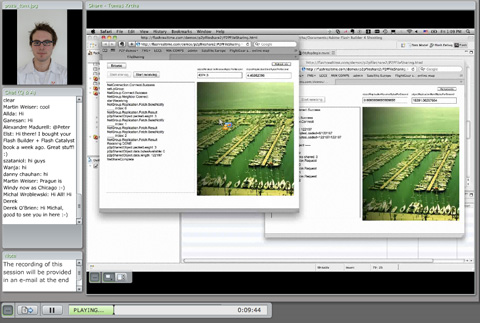
Seminar Recording: Advanced P2P - Object Replication
August 30th, 2010
The recording of seminar I did on Friday 27th 2010.
It includes information mostly about Object Replication and how to start with it. I also explain my P2P VoD project.
Check it out here (42 min.)
http://my.adobe.acrobat.com/p41024225/
Local Flash Peer-to-Peer Communication over LAN (without Cirrus/Stratus)
August 27th, 2010
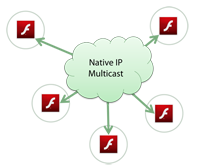 Some of you guys were probably wondering how to establish P2P connections in the local network (LAN) without Adobe Cirrus. Yes. It’s possible. Using native IP-only multicast. Let’s build a simple chat with Posting. Adding Multicast broadcast is just a simple next step which I am sure you can accomplish by yourself with few hints from my article about Multicast
Open an IP Multicast connection. This can be done by specifying connection string as “rtmpf:”. Note, that this technique cannot be used for one-to-one communication. So no DIRECT_CONNECTIONS with NetStream, but you can do all RTMFP Group operations.
netConnection.connect("rtmfp:");
Multicast Explained in Flash 10.1 P2P
July 1st, 2010
Multicast is one of the features of Flash Player 10.1 and it enables you to distribute NetStreams across the peer-to-peer mesh. It can be audio, video or even pure data stream (AMF3) - the data stream can be very handy for games, it’s much better for such purpose (like sending realtime positions, directions) than using Posting as Posting is more optimized for large number of senders to send something - like chat, status change and so on.
Difference between Unicast and Multicast
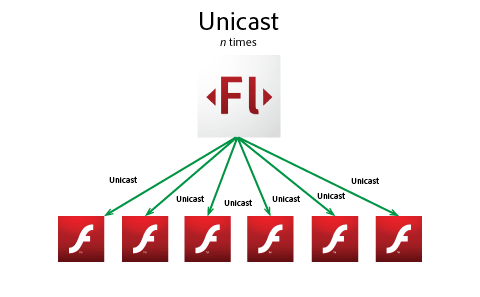
Unicast
Unicast simply delivers streams from a server to n clients. For this purpose you can use Flash Media Server and TCP protocols such as RTMP/T/S/E or HTTP protocol. Unicast also costs you a lot of resources -> 1 MBps stream delivered to 1000 clients means 1 GB upstream from server - which is CPU demanding and network transit is also huge.
Multicast Streaming in Flash Player 10.1 Tutorial
June 30th, 2010
Adobe Developer Connection presents:
Multicast Streaming in Flash Player 10.1
This video-tutorial shows how to build a simple Broadcaster/Receiver system with P2P Multicast in Flash Player 10.1 using NetStream and Camera classes.
Learn more: Read Multicast Explained in Flash Player 10.1
Read the rest of this entry »