
Resolving “NetGroup.Connect.Rejected” or when your Flash P2P apps stop working
November 2nd, 2010
I just ran into a problem with NetGroup.Connect.Rejected, my FMS4 server was running ok - I have even tried Cirrus/Stratus and I was still getting this error on demos, which were properly working before.
OK - so what is this error about?
It’s all about your Flash Player security and it’s basically telling you that you have denied access to some source. This happens, when you start developing apps on different PC and someone before you denied to use P2P or similar.
Solution:
1. Go to Global Settings
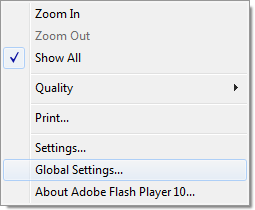
2. delete all or specific P2P settings in Global Settings
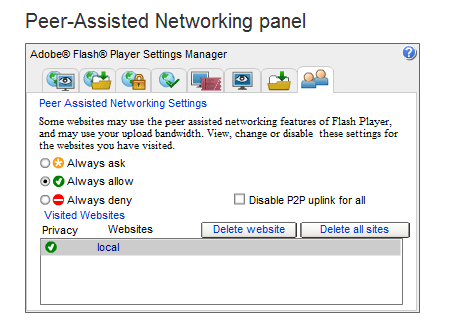
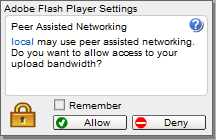
3. run your application again (it should be in browser, had sometimes problems with standalone apps, where dialog didn’t appear)
this dialog should appear. Click Allow and better Remember.
Don’t forget that these settings are inherited to all versions of Flash Player you have on your PC, even to betas or prereleases.
Good Luck!
The most simple P2P Object Replication Example
September 16th, 2010
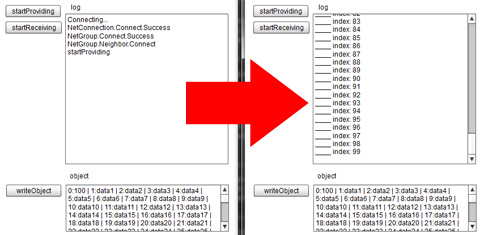
Here you can download the simplest P2P Object Replication example, which is easy to understand. Previous examples might have been too complicated to start with. Grab this code and start using it right the way.
Download source
Try demo - open in two or more windows. Click “startProviding” button on one of them and “startReceiving” on the rest of the windows. You can then click “writeObject” to check the received object on the receiver windows.
Good Luck!
Local Flash Peer-to-Peer Communication over LAN (without Cirrus/Stratus)
August 27th, 2010
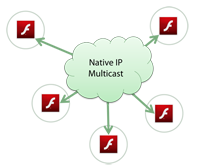 Some of you guys were probably wondering how to establish P2P connections in the local network (LAN) without Adobe Cirrus. Yes. It’s possible. Using native IP-only multicast. Let’s build a simple chat with Posting. Adding Multicast broadcast is just a simple next step which I am sure you can accomplish by yourself with few hints from my article about Multicast
Open an IP Multicast connection. This can be done by specifying connection string as “rtmpf:”. Note, that this technique cannot be used for one-to-one communication. So no DIRECT_CONNECTIONS with NetStream, but you can do all RTMFP Group operations.
netConnection.connect("rtmfp:");
P2P Chat with NetGroup in Flash Player 10.1
July 8th, 2010
This videotutorial is a follow-up of my tutorial Simple chat with P2P NetGroup in FP 10.1.
Peer-to-peer chat with NetGroup in Flash Player 10.1 (ADC video link)
Multicast Streaming in Flash Player 10.1 Tutorial
June 30th, 2010
Adobe Developer Connection presents:
Multicast Streaming in Flash Player 10.1
This video-tutorial shows how to build a simple Broadcaster/Receiver system with P2P Multicast in Flash Player 10.1 using NetStream and Camera classes.
Learn more: Read Multicast Explained in Flash Player 10.1
Read the rest of this entry »